Preface
I’ve read a lot of Spring Security documentation. Most of it tells you what to configure. Very little tells you what actually happens when you do.
That gap matters. Security code that you don’t understand is security code you can’t reason about under pressure. And security bugs tend to surface under pressure: in production, during a pentest, at 2am.
This book is about closing that gap. It doesn’t start with form login or password encoders. It starts with the filter chain, the security context, and the authentication architecture. Then it builds up: tokens, sessions, MFA, passkeys, OAuth2, your own authorization server, SAML2, method-level authorization, reactive security, zero-trust microservices. Every concept mapped to the CineTrack streaming platform, a real multi-service system that gets progressively harder to break.
By the last chapter, you’ll have built a production-grade security architecture from scratch. More importantly, you’ll understand why every decision was made.
What This Book Is
An expert-level guide to Spring Security 7 and Spring Boot 4. Every major feature of Spring Security is covered: not summarized, not waved at, actually implemented, explained, and stress-tested.
The code domain is CineTrack, a streaming platform with five services: catalog-service, user-service, recommendation-service, subscription-service, and review-service. Security requirements grow chapter by chapter: first we secure individual endpoints, then we build our own OAuth2 identity provider, then we harden service-to-service communication, then we make it all observable.
Every code example is production-grade. No System.out.println. No @SuppressWarnings("all"). No shortcuts that would get you fired in a code review.
Who This Book Is For
You’ve shipped Spring Boot applications in production. You know what dependency injection is, you’ve written REST controllers, you’ve argued about naming conventions in pull requests. You’ve probably used Spring Security (@PreAuthorize here, a JWT filter there) but you’re not confident you could explain exactly how it works under the hood, or design a security architecture for a greenfield system from scratch.
That’s who this book is for.
If you’re looking for “how do I add login to my app,” this is the wrong book. Spring Security’s own getting-started guide will serve you better. This book picks up where that guide ends.
How to Use This Book
The chapters build on each other through Part V. Parts I through V follow the CineTrack security architecture in build order: each chapter adds a layer. Read them in sequence.
Parts VI through VIII are largely independent. Once you’ve finished Part V, you can read the authorization, reactive, and operations chapters in any order.
A Note on Spring Security 7
Spring Security 7 is a significant release. The lambda-based DSL is now mandatory (the and() method is gone). The Spring Authorization Server is now part of the core project. Multi-factor authentication gets first-class support with @EnableMultiFactorAuthentication. Password4j-based encoders replace the legacy implementations. WebAuthn/Passkeys ship out of the box. Kerberos support is integrated into core.
All examples in this book target Spring Security 7.x with Spring Boot 4. Where behavior differs from Spring Security 6, it’s called out explicitly.
The Code
All code is available at the book’s GitHub repository. Each chapter’s code is a standalone Spring Boot project, buildable with mvn spring-boot:run. No special setup beyond Docker and a JDK 21.
Acknowledgments
The bugs are mine. The good ideas are everyone else’s, often without attribution because I forgot where I first heard them. If you recognize one of yours, please write to me; I would like to credit you in the next edition.
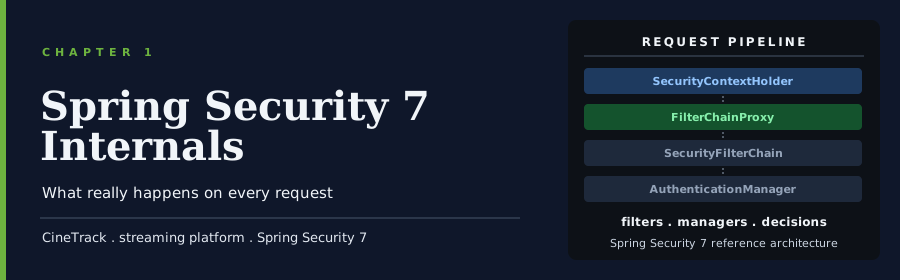
1 Spring Security 7 Internals
1.1 Overview
“Security is not a feature you add. It’s a property of the system.” Bruce Schneier
The pentest report arrived on a Tuesday. Fourteen findings, three of them critical. The one that hurt most wasn’t the SQL injection or the missing rate limiting. It was finding number seven: “Unauthenticated access to /api/admin/users.”
The team had Spring Security configured. They had a SecurityFilterChain bean. They’d written authorizeHttpRequests rules. But they’d used requestMatchers("/api/admin/**"), and the endpoint was registered at /api/admin/users/, with a trailing slash, which didn’t match.
One character. A full admin endpoint exposed.
The rule was there. The filter was there. Spring Security did exactly what it was told. The team just didn’t understand precisely how it worked, so they couldn’t see the gap.
That’s what this chapter fixes. Before you configure Spring Security for CineTrack, you need to understand what actually happens when an HTTP request arrives. Every filter in the chain. How the security context is stored and retrieved. Where authentication lives in memory. How Spring Boot wires all of this up without you asking.
The internals aren’t academic. They’re what you reach for when something doesn’t work the way you expect, when a pentest finding doesn’t make sense, when a filter you added isn’t firing. Understanding them is the difference between configuring Spring Security and understanding it.
By the end of this chapter, you’ll understand:
- How the servlet filter chain connects to Spring Security’s
FilterChainProxy - What
SecurityFilterChainis and how Spring selects the right chain for each request - Where
Authenticationlives in memory and how it propagates through a request - The complete authentication object model:
Authentication,GrantedAuthority,UserDetails,AuthenticationProvider - Why the
and()method was removed and what the new lambda DSL looks like - What Spring Boot auto-configures, and what you’ll always override
- How exception translation decides between 401 and 403
1.2 The Filter Chain
Every HTTP request in a Spring Boot application travels through a chain of servlet filters before it reaches your controller. Spring Security lives entirely inside that filter chain. There’s no magic, no AOP proxy on your controller methods (not at this layer anyway), no bytecode manipulation. Just filters, in a fixed order, each one deciding whether to pass the request along or stop it.
Understanding this is the foundation. Everything else in Spring Security is built on top of it.
1.2.1 DelegatingFilterProxy
The bridge between the servlet container and Spring’s ApplicationContext is a filter called DelegatingFilterProxy. The servlet container knows nothing about Spring beans. It manages its own lifecycle for filters, which means it initializes them before Spring’s context even starts. DelegatingFilterProxy solves this by registering itself as a standard servlet filter, then lazily looking up a Spring bean by name and delegating every request to it.
The bean it looks up is named springSecurityFilterChain. That name is significant. Spring Boot registers it automatically.
Servlet Container → DelegatingFilterProxy → springSecurityFilterChain beanSpring Boot’s SecurityFilterAutoConfiguration registers DelegatingFilterProxy with the servlet container. You never configure this yourself.
1.2.2 FilterChainProxy
The springSecurityFilterChain bean is a FilterChainProxy. It holds a list of SecurityFilterChain instances, each paired with a RequestMatcher that says which requests it applies to.
When a request arrives, FilterChainProxy iterates through the list and runs the filters of the first SecurityFilterChain whose RequestMatcher matches the incoming request. Only one chain runs per request.
FilterChainProxy
  ├── SecurityFilterChain [matches: /actuator/**]  → [filters: ...]
  ├── SecurityFilterChain [matches: /api/**]       → [filters: ...]
  └── SecurityFilterChain [matches: /**]           → [filters: ...]
This is how you can have different security rules for different URL patterns without any if statements in your security configuration. Each SecurityFilterChain bean in your ApplicationContext gets registered automatically.
1.2.3 SecurityFilterChain
SecurityFilterChain is the unit you configure. It pairs a request matcher with an ordered list of filters. Here’s the minimal configuration for CineTrack’s catalog-service:
@Configuration
@EnableWebSecurity
public class CatalogSecurityConfig {

    @Bean
    public SecurityFilterChain catalogFilterChain(HttpSecurity http) throws Exception { // (1)
        http
            .authorizeHttpRequests(auth -> auth
                .requestMatchers("/actuator/health").permitAll()
                .anyRequest().authenticated()
            )
            .oauth2ResourceServer(oauth2 -> oauth2
                .jwt(Customizer.withDefaults())
            );
        return http.build(); // (2)
    }
}
(1) HttpSecurity is a builder for a single SecurityFilterChain. Spring injects it pre-configured with defaults.
(2) http.build() constructs the SecurityFilterChain from the accumulated configuration and registers it with FilterChainProxy.
1.2.4 Filter Ordering
Inside each SecurityFilterChain, filters run in a fixed order defined by Spring Security. You can add custom filters at specific positions, but the built-in ones don’t move. The filters you’ll see most often, in their execution order:
| Filter | Responsibility |
|---|---|
DisableEncodeUrlFilter |
Prevents session IDs leaking into URLs |
SecurityContextHolderFilter |
Loads the SecurityContext from the repository into thread-local storage |
CsrfFilter |
Validates CSRF tokens on state-changing requests |
LogoutFilter |
Handles logout requests |
BearerTokenAuthenticationFilter |
Extracts and validates Bearer tokens (OAuth2 resource server) |
UsernamePasswordAuthenticationFilter |
Processes form login |
AnonymousAuthenticationFilter |
Sets an anonymous Authentication if nothing else has |
ExceptionTranslationFilter |
Converts AuthenticationException and AccessDeniedException to HTTP responses |
AuthorizationFilter |
Enforces authorizeHttpRequests rules |
Important
AuthorizationFilter runs last. Every authentication filter runs before it. If an authentication filter populates the SecurityContext, AuthorizationFilter sees an authenticated principal. If nothing populates it, AuthorizationFilter sees an anonymous one. This order is not configurable.
1.2.5 Adding Custom Filters
When you need to add a custom filter, you position it relative to an existing one:
http.addFilterBefore(new RequestIdFilter(), SecurityContextHolderFilter.class); // (1)
http.addFilterAfter(new AuditFilter(), AuthorizationFilter.class);              // (2)
(1) Runs your filter before Spring Security loads the security context. Useful for request tracing.
(2) Runs after the authorization decision is made. Useful for audit logging.
Warning
Don’t add Spring-managed beans as custom filters using addFilterBefore or addFilterAfter if they’re also registered as @Component. The servlet container will pick them up independently and run them twice: once outside the security filter chain, once inside. Either make your custom security filters plain classes (not Spring beans) or use addFilterAt with an explicit bean definition.
The filter chain is the physical structure Spring Security builds to process requests. Everything else (authentication, authorization, CSRF protection) is implemented as a filter in this chain, in a position that makes sense given what came before it.
Next: where does the authenticated user actually live during a request?
1.3 The Security Context
Once authentication succeeds, Spring Security needs to make the result available for the rest of the request. Every downstream filter, every service method, every controller can ask: “who is this person?” The answer lives in the SecurityContext.
1.3.1 SecurityContext and SecurityContextHolder
SecurityContext is a simple container. It holds one thing: an Authentication object representing the current principal.
SecurityContextHolder is how you access it. It wraps the SecurityContext in a thread-local variable, so any code running on the same thread can retrieve the current authentication without passing it as a parameter:
SecurityContext context = SecurityContextHolder.getContext();
Authentication auth = context.getAuthentication();

String username = auth.getName();                           // (1)
Collection<? extends GrantedAuthority> authorities =
        auth.getAuthorities();                              // (2)
Object principal = auth.getPrincipal();                     // (3)
(1) The principal’s name. For a JWT-authenticated user, this is the sub claim.
(2) The granted authorities (roles, scopes, permissions). Populated by the authentication filter.
(3) The principal object itself. Type depends on the authentication mechanism: a UserDetails for form login, a Jwt for OAuth2 resource servers.
1.3.2 How the Context Gets Loaded
The SecurityContextHolderFilter runs near the top of every filter chain. Its job is to load the SecurityContext from a repository into thread-local storage before any other security filter runs, and save it back to the repository after the request completes.
Request arrives
  → SecurityContextHolderFilter loads context from repository → thread-local
  → [authentication filters run, may populate the context]
  → [authorization filter runs, reads from thread-local]
  → Controller runs, reads from thread-local
  → SecurityContextHolderFilter saves context back to repository
The repository is SecurityContextRepository. In a stateful (session-based) application, it’s HttpSessionSecurityContextRepository (the context is stored in the HTTP session and reloaded on each request). In a stateless REST API (CineTrack’s default), it’s NullSecurityContextRepository: nothing is saved, and each request authenticates from scratch.
Important
When you configure .sessionManagement(session -> session.sessionCreationPolicy(SessionCreationPolicy.STATELESS)), Spring Security replaces HttpSessionSecurityContextRepository with NullSecurityContextRepository. The context is populated fresh on every request by the BearerTokenAuthenticationFilter validating the JWT. Nothing persists between requests. This is correct and intentional for token-based APIs.
1.3.3 SecurityContextHolderStrategy
By default, SecurityContextHolder uses MODE_THREADLOCAL: the context is tied to the current thread. This works perfectly for traditional servlet applications where one thread handles one request start to finish.
It breaks in two scenarios.
Async processing. If you use @Async or spin up a new thread, that thread has a fresh, empty SecurityContext. Your audit log gets null as the principal. Your @PreAuthorize check finds no user.
Spring Security provides DelegatingSecurityContextAsyncTaskExecutor and DelegatingSecurityContextRunnable for wrapping async tasks with the current context:
@Bean
public Executor taskExecutor() {
    return new DelegatingSecurityContextAsyncTaskExecutor( // (1)
            new ThreadPoolTaskExecutor()
    );
}
(1) Wraps every submitted Runnable with the calling thread’s SecurityContext. The async task sees the same authenticated user.
Virtual threads (Spring Boot 4 + Java 21). Virtual threads don’t have the same lifetime guarantees as platform threads, but ThreadLocal still works correctly with them. Spring Boot 4 enables virtual threads by default with spring.threads.virtual.enabled=true. SecurityContextHolder in MODE_THREADLOCAL is safe with virtual threads.
1.3.4 Reading the Context in Application Code
In controllers and services, you have two ways to access the current principal.
Direct SecurityContextHolder access:
@GetMapping("/profile")
public UserProfile getProfile() {
    Authentication auth = SecurityContextHolder.getContext().getAuthentication();
    String userId = auth.getName();
    return userService.findById(userId);
}
Or inject it as a method parameter with @AuthenticationPrincipal:
@GetMapping("/profile")
public UserProfile getProfile(@AuthenticationPrincipal Jwt jwt) { // (1)
    String userId = jwt.getSubject();
    return userService.findById(userId);
}
(1) For an OAuth2 resource server with JWT authentication, the principal is a Jwt object. @AuthenticationPrincipal injects it directly, making the intent explicit.
Prefer @AuthenticationPrincipal. It’s testable with @WithMockUser and similar test annotations, and it makes the dependency on the current user visible in the method signature.
Tip
If you find yourself calling SecurityContextHolder.getContext().getAuthentication() in a service method, that’s a signal to push the user lookup up to the controller and pass it in. Service methods shouldn’t know how authentication works.
The SecurityContext is request-scoped state. It’s loaded at the start of every request, read throughout, and discarded (or saved to the session) at the end. For CineTrack’s stateless JWT-based services, it’s a fresh slate on every call.
Next: what does the Authentication object inside the context actually contain?
1.4 The Authentication Model
The Authentication interface is the core data structure in Spring Security. Everything authentication-related either produces one, consumes one, or stores one. Understanding its fields (and the objects that feed into it) is the foundation for writing custom authentication, debugging failed logins, and building authorization rules that mean something.
1.4.1 The Authentication Interface
public interface Authentication extends Principal, Serializable {
    Collection<? extends GrantedAuthority> getAuthorities(); // (1)
    Object getCredentials();                                 // (2)
    Object getDetails();                                     // (3)
    Object getPrincipal();                                   // (4)
    boolean isAuthenticated();                               // (5)
    void setAuthenticated(boolean isAuthenticated);
}
(1) The roles and permissions granted to this principal. Used by AuthorizationFilter and @PreAuthorize to make access decisions.
(2) The credential used to authenticate: a password, a certificate, a token. Most implementations null this out after authentication succeeds to avoid holding sensitive material in memory longer than necessary.
(3) Additional details about the authentication request itself: the remote IP address, the session ID, the web authentication details. Useful for audit logging.
(4) The authenticated entity: a UserDetails object for form-based authentication, a Jwt for OAuth2, an X509Certificate for mutual TLS.
(5) Whether authentication has completed successfully. An Authentication object can exist in a partially-authenticated state during the authentication process itself.
1.4.3 UserDetails and UserDetailsService
UserDetails is Spring Security’s contract for loading user information from a data store. It carries everything authentication needs to know about a user:
public interface UserDetails extends Serializable {
    Collection<? extends GrantedAuthority> getAuthorities();
    String getPassword();
    String getUsername();
    boolean isAccountNonExpired();
    boolean isAccountNonLocked();
    boolean isCredentialsNonExpired();
    boolean isEnabled();
}
UserDetailsService has one method:
public interface UserDetailsService {
    UserDetails loadUserByUsername(String username) throws UsernameNotFoundException;
}
Spring Security calls loadUserByUsername during username/password authentication, takes the returned UserDetails, verifies the password against the stored hash, and builds an authenticated UsernamePasswordAuthenticationToken from the result.
For CineTrack’s user-service, the implementation loads from the user database:
@Service
@RequiredArgsConstructor
public class CineTrackUserDetailsService implements UserDetailsService {

    private final UserRepository userRepository;

    @Override
    public UserDetails loadUserByUsername(String username) {
        return userRepository.findByEmail(username)      // (1)
                .map(CineTrackUserDetails::from)         // (2)
                .orElseThrow(() ->
                    new UsernameNotFoundException(username));
    }
}
(1) CineTrack uses email as the login identifier, not a separate username field.
(2) CineTrackUserDetails is a custom UserDetails implementation that carries subscription tier and user ID alongside the standard fields.
1.4.4 AuthenticationManager and AuthenticationProvider
AuthenticationManager is the entry point for authentication. Its contract is simple:
public interface AuthenticationManager {
    Authentication authenticate(Authentication authentication)
            throws AuthenticationException;
}
Pass in a partially-populated Authentication (e.g., a UsernamePasswordAuthenticationToken with credentials but isAuthenticated() == false). Get back a fully-populated one with authorities set and isAuthenticated() == true.
The standard implementation is ProviderManager. It holds a list of AuthenticationProvider instances and delegates to the first one that supports the incoming authentication type:
public interface AuthenticationProvider {
    Authentication authenticate(Authentication authentication)
            throws AuthenticationException;
    boolean supports(Class<?> authentication); // (1)
}
(1) DaoAuthenticationProvider returns true for UsernamePasswordAuthenticationToken. JwtAuthenticationProvider returns true for BearerTokenAuthenticationToken. If no provider supports the token type, authentication fails.
The relationship looks like this:
Authentication request (UsernamePasswordAuthenticationToken)
  → ProviderManager
    → DaoAuthenticationProvider.supports()? ✓
    → DaoAuthenticationProvider.authenticate()
      → UserDetailsService.loadUserByUsername()
      → PasswordEncoder.matches()
      → returns authenticated UsernamePasswordAuthenticationToken
  → SecurityContextHolder.getContext().setAuthentication(result)
Tip
When building a custom authentication mechanism (say, CineTrack’s cinema code grant) you write a custom AuthenticationProvider that handles your custom token type. You don’t touch ProviderManager directly. Spring Security assembles it from whatever AuthenticationProvider beans are available in the context.
1.4.5 The Authentication Flow in One Picture
HTTP Request
  → [Authentication Filter]
      extracts credentials from request
      creates unauthenticated Authentication token
      calls AuthenticationManager.authenticate()
        → ProviderManager delegates to matching AuthenticationProvider
        → AuthenticationProvider validates credentials
        → returns authenticated Authentication
      stores result in SecurityContextHolder
  → [Authorization Filter]
      reads Authentication from SecurityContextHolder
      checks GrantedAuthorities against rules
      allows or denies the request
This flow is the same regardless of whether authentication is form-based, OAuth2 JWT-based, SAML2, or LDAP. The filter at the top changes. The contract in the middle (AuthenticationManager → AuthenticationProvider) stays the same.
Next: how you configure all of this in Spring Security 7.
1.5 The New DSL
Spring Security’s configuration API has changed significantly over the past two major versions. If you learned Spring Security from tutorials written before 2023, a lot of what you know is either removed or deprecated. This section shows what the current API looks like, why it changed, and how to work with it.
1.5.1 What Was Removed
Spring Security 5 and early 6 used method chaining with an and() connector between configuration blocks:
// Old API : does not compile in Spring Security 6.1+
http
    .authorizeRequests()
        .anyRequest().authenticated()
        .and()
    .formLogin()
        .loginPage("/login")
        .and()
    .csrf().disable();
and() was removed in Spring Security 6.1. The entire authorizeRequests() method was deprecated in Spring Security 6.0 in favor of authorizeHttpRequests() and removed in Spring Security 7.
Both changes happened for the same reason: the old API required you to read the chain carefully to understand which configuration block you were in. After a few nested calls, it became unclear whether .disable() was disabling CSRF or something else. Mistakes were easy and silent.
1.5.2 The Lambda DSL
The replacement uses lambda blocks. Each feature gets its own lambda. Nesting is explicit:
@Bean
public SecurityFilterChain catalogFilterChain(HttpSecurity http) throws Exception {
    http
        .authorizeHttpRequests(auth -> auth           // (1)
            .requestMatchers("/actuator/health").permitAll()
            .requestMatchers("/api/movies/**").hasAuthority("SUBSCRIPTION_FREE")
            .requestMatchers("/api/movies/*/4k").hasAuthority("SUBSCRIPTION_PREMIUM")
            .anyRequest().authenticated()
        )
        .oauth2ResourceServer(oauth2 -> oauth2        // (2)
            .jwt(jwt -> jwt
                .jwtAuthenticationConverter(cineTrackJwtConverter())
            )
        )
        .sessionManagement(session -> session         // (3)
            .sessionCreationPolicy(SessionCreationPolicy.STATELESS)
        )
        .csrf(AbstractHttpConfigurer::disable);       // (4)

    return http.build();
}
(1) authorizeHttpRequests takes a lambda. Inside, you chain requestMatchers calls in order. The first match wins.
(2) oauth2ResourceServer configures Bearer token validation. The nested jwt lambda configures the JWT decoder and converter.
(3) Session creation policy is its own configuration block. STATELESS means no session is created or used.
(4) Disabling CSRF is now a method reference on the configurer, which makes the intent unambiguous.
Important
The first matching rule wins. If you put .anyRequest().authenticated() before a more specific matcher, the specific matcher never fires. Always put specific rules first, broad rules last. Spring Security 7 will throw an exception if you try to add matchers after anyRequest().
1.5.3 Multiple SecurityFilterChain Beans
One of the most useful features of the lambda DSL is that it makes multiple SecurityFilterChain beans clean. Each bean handles a different slice of your URL space:
@Configuration
@EnableWebSecurity
public class CatalogSecurityConfig {

    @Bean
    @Order(1)                                                          // (1)
    public SecurityFilterChain actuatorChain(HttpSecurity http) throws Exception {
        http
            .securityMatcher("/actuator/**")                           // (2)
            .authorizeHttpRequests(auth -> auth
                .requestMatchers("/actuator/health").permitAll()
                .anyRequest().hasRole("MONITORING")
            )
            .httpBasic(Customizer.withDefaults());
        return http.build();
    }

    @Bean
    @Order(2)
    public SecurityFilterChain apiChain(HttpSecurity http) throws Exception {
        http
            .securityMatcher("/api/**")
            .authorizeHttpRequests(auth -> auth
                .anyRequest().authenticated()
            )
            .oauth2ResourceServer(oauth2 -> oauth2.jwt(Customizer.withDefaults()))
            .sessionManagement(session -> session
                .sessionCreationPolicy(SessionCreationPolicy.STATELESS)
            )
            .csrf(AbstractHttpConfigurer::disable);
        return http.build();
    }
}
(1) @Order determines which chain gets priority. Lower numbers win. FilterChainProxy tries them in order and runs the first match.
(2) securityMatcher restricts this chain to requests matching the given pattern. Without it, the chain matches all requests.
This is cleaner than one giant SecurityFilterChain with conditionals for different URL prefixes. Each chain reads as an independent, self-contained policy.
1.5.4 Modular Configuration
For larger applications, you can split configuration into multiple classes. Spring Security assembles the full FilterChainProxy from all SecurityFilterChain beans in the context, regardless of which @Configuration class they come from.
CineTrack’s production setup splits configuration by concern:
CatalogSecurityConfig
  ├── SecurityFilterChain: actuatorChain
  └── SecurityFilterChain: apiChain

SharedJwtConfig
  └── JwtDecoder bean (shared across services)
  └── JwtAuthenticationConverter bean

MethodSecurityConfig
  └── @EnableMethodSecurity
Tip
@EnableWebSecurity goes on exactly one @Configuration class. It imports the Spring Security infrastructure. Additional @Configuration classes that define SecurityFilterChain beans don’t need @EnableWebSecurity, they’re just adding beans to the context.
Spring Security 7 also introduces fully modular configuration for servlet vs. WebFlux applications. The two stacks no longer share configuration classes. A SecurityFilterChain is servlet-only. A SecurityWebFilterChain is reactive-only. If your application has both on the classpath, Spring Boot’s auto-configuration picks the right stack based on which ApplicationContext type you’re using. Chapter 20 covers the reactive side in full.
The lambda DSL is not optional. It’s the only API in Spring Security 7. Learn its shape and it becomes readable fast.
Next: what does Spring Boot configure for you before you touch any of this?
1.6 Spring Boot Auto-Configuration
Spring Boot configures a lot of Spring Security before you write a single line. Knowing exactly what it sets up (and what triggers each piece) means you know what you’re overriding and why, instead of fighting defaults you don’t understand.
1.6.1 What Gets Registered
Three auto-configuration classes do the work:
SecurityAutoConfiguration imports SpringBootWebSecurityConfiguration and AuthenticationManagerConfiguration. It’s the entry point that bootstraps the entire security stack.
SecurityFilterAutoConfiguration registers DelegatingFilterProxy with the servlet container, mapped to the name springSecurityFilterChain. This is the hook that connects the servlet container’s filter chain to Spring Security’s FilterChainProxy.
UserDetailsServiceAutoConfiguration creates an in-memory UserDetailsService with a single user named user and a randomly-generated password printed to the console at startup. You’ve seen the log line:
Using generated security password: 3a2d5f8b-1e4c-4a7d-9f2b-8e3c1d6a0b5fThis default exists so a fresh Spring Boot application with spring-security on the classpath is immediately secured. It’s not meant for anything beyond local exploration.
1.6.2 What Triggers Each Auto-Configuration
Each auto-configuration class fires only when certain conditions are met. Understanding the conditions explains why adding your own beans turns off the defaults.
UserDetailsServiceAutoConfiguration activates when no UserDetailsService, AuthenticationProvider, AuthenticationManagerResolver, or ReactiveAuthenticationManager bean is present in the context. The moment you define a UserDetailsService bean (or configure an OAuth2 resource server, which registers its own AuthenticationProvider) Spring Boot steps back and leaves user management entirely to you.
SpringBootWebSecurityConfiguration (inside SecurityAutoConfiguration) registers a default SecurityFilterChain that requires authentication for all requests and enables HTTP Basic. It activates only when no SecurityFilterChain bean is present. The moment you define your own SecurityFilterChain, the default disappears.
This is the pattern Spring Boot uses throughout: provide a sensible default, back off completely when you provide your own.
1.6.3 What You’ll Always Override
For any production service, you override two things:
The SecurityFilterChain. The default requires authentication via HTTP Basic. Your service requires Bearer tokens, or SAML2, or a specific combination. Define your own @Bean SecurityFilterChain and the default is gone.
The UserDetailsService. Either by defining your own (for user-managed authentication) or by not defining one at all (for stateless OAuth2 resource servers, which don’t load users from a database).
Here’s what CineTrack’s catalog-service overrides:
@Configuration
@EnableWebSecurity
public class CatalogSecurityConfig {

    @Bean
    public SecurityFilterChain apiChain(HttpSecurity http) throws Exception { // (1)
        http
            .authorizeHttpRequests(auth -> auth
                .requestMatchers("/actuator/health").permitAll()
                .anyRequest().authenticated()
            )
            .oauth2ResourceServer(oauth2 -> oauth2
                .jwt(Customizer.withDefaults())
            )
            .sessionManagement(session -> session
                .sessionCreationPolicy(SessionCreationPolicy.STATELESS)
            )
            .csrf(AbstractHttpConfigurer::disable);
        return http.build();
    }
}
(1) This single bean replaces the default SecurityFilterChain. No HTTP Basic. No random password. UserDetailsServiceAutoConfiguration also backs off because the OAuth2 resource server configuration registers its own AuthenticationProvider.
1.6.4 spring.security Properties
Spring Boot exposes configuration properties for the auto-configured defaults:
spring:
  security:
    user:
      name: admin          # (1)
      password: secret     # (2)
      roles: ADMIN         # (3)
(1) Overrides the default user username for the auto-configured in-memory user.
(2) Sets a fixed password instead of a randomly generated one. Never do this outside local development.
(3) Grants roles to the auto-configured user.
These properties only affect UserDetailsServiceAutoConfiguration. Once you define your own UserDetailsService bean, they have no effect.
Warning
Don’t commit spring.security.user.password to source control. Not even a “dev” password. Security habits learned in development show up in production configuration mistakes.
1.6.5 Verifying What’s Registered
When something isn’t working, the fastest way to see what Spring Security registered is to enable debug logging:
logging:
  level:
    org.springframework.security: DEBUG
At startup, Spring Security logs every filter registered in each SecurityFilterChain. At request time, it logs which chain matched and which filters ran. The output is verbose, but it answers “why is this filter not running?” definitively.
For production diagnostics, prefer:
logging:
  level:
    org.springframework.security: INFO
    org.springframework.security.web.FilterChainProxy: DEBUG
This logs chain matching without flooding your logs with per-filter details.
Next: what happens when authentication fails, or succeeds but the user doesn’t have permission?
1.7 Exception Translation
Spring Security’s authorization model produces two types of failure: the request isn’t authenticated, or it is authenticated but the user doesn’t have permission. These are fundamentally different situations and they get different HTTP responses. The component that handles both is ExceptionTranslationFilter.
1.7.1 Two Exceptions, Two Handlers
ExceptionTranslationFilter sits between the authentication filters and AuthorizationFilter in the chain. It wraps the rest of the chain in a try-catch and intercepts two exceptions:
AuthenticationException: The request has no valid authentication, or the authentication failed. The right response is 401 Unauthorized. But “right response” depends on the client. A browser wants a redirect to a login page. A REST client wants a JSON error body. AuthenticationEntryPoint handles this decision.
AccessDeniedException: The request is authenticated, but the principal doesn’t have the required authority. The right response is 403 Forbidden. AccessDeniedHandler handles this.
Important
There’s a third case ExceptionTranslationFilter handles silently: an anonymous user hitting a protected resource. AuthorizationFilter throws AccessDeniedException because the anonymous principal lacks the required authority. ExceptionTranslationFilter catches it, detects that the principal is anonymous, and redirects the handling to AuthenticationEntryPoint instead of AccessDeniedHandler. This is why an unauthenticated request to a protected endpoint gets a 401 (or a login redirect), not a 403.
1.7.2 AuthenticationEntryPoint
The default AuthenticationEntryPoint for a form-login application redirects to /login. For an OAuth2 resource server, it returns 401 with a WWW-Authenticate header telling the client what kind of token is expected.
CineTrack’s services are REST APIs. They need a JSON error response, not a redirect:
@Component
public class CineTrackAuthenticationEntryPoint
        implements AuthenticationEntryPoint {

    private final ObjectMapper objectMapper;

    @Override
    public void commence(
            HttpServletRequest request,
            HttpServletResponse response,
            AuthenticationException authException) throws IOException {

        response.setStatus(HttpServletResponse.SC_UNAUTHORIZED);          // (1)
        response.setContentType(MediaType.APPLICATION_JSON_VALUE);
        objectMapper.writeValue(response.getWriter(), new ErrorResponse(  // (2)
                "AUTHENTICATION_REQUIRED",
                "Valid authentication credentials are required"
        ));
    }
}
(1) SC_UNAUTHORIZED is 401. Not 403.
(2) ErrorResponse is CineTrack’s shared error record from cinetrack-common. Consistent error shapes across all services.
Wire it into the SecurityFilterChain:
http.exceptionHandling(ex -> ex
    .authenticationEntryPoint(cineTrackAuthenticationEntryPoint)
);
1.7.3 AccessDeniedHandler
AccessDeniedHandler fires when an authenticated user lacks the required authority. The default redirects to /403. For REST APIs:
@Component
public class CineTrackAccessDeniedHandler implements AccessDeniedHandler {

    private final ObjectMapper objectMapper;

    @Override
    public void handle(
            HttpServletRequest request,
            HttpServletResponse response,
            AccessDeniedException accessDeniedException) throws IOException {

        response.setStatus(HttpServletResponse.SC_FORBIDDEN);             // (1)
        response.setContentType(MediaType.APPLICATION_JSON_VALUE);
        objectMapper.writeValue(response.getWriter(), new ErrorResponse(
                "ACCESS_DENIED",
                "You don't have permission to access this resource"
        ));
    }
}
(1) SC_FORBIDDEN is 403. Reserved for authenticated users without sufficient authority.
http.exceptionHandling(ex -> ex
    .authenticationEntryPoint(cineTrackAuthenticationEntryPoint)
    .accessDeniedHandler(cineTrackAccessDeniedHandler)
);
1.7.4 Why @ExceptionHandler Doesn’t Cover This
A common mistake is expecting @ControllerAdvice and @ExceptionHandler to handle Spring Security exceptions. They don’t.
@ExceptionHandler methods handle exceptions thrown by controllers and filter methods, after the dispatcher servlet has processed the request. Spring Security’s ExceptionTranslationFilter runs before the dispatcher servlet, in the filter chain. Exceptions thrown there never reach @ExceptionHandler.
If you need consistent error handling across both layers, define your AuthenticationEntryPoint and AccessDeniedHandler to produce the same JSON shape your @ExceptionHandler produces.
Tip
CineTrack uses a shared ErrorResponse record from cinetrack-common in both the Spring Security handlers and the @ExceptionHandler methods. One record definition, consistent JSON shape everywhere.
1.7.5 The Full Exception Flow
Request
  → [ExceptionTranslationFilter wraps the rest of the chain]
    → [AuthorizationFilter]
        → AccessDeniedException thrown
  ← ExceptionTranslationFilter catches it
      Is the principal anonymous?
        Yes → AuthenticationEntryPoint (returns 401)
        No  → AccessDeniedHandler (returns 403)
Authentication exceptions thrown by authentication filters bubble up differently. They’re usually handled within the filter itself (e.g., BearerTokenAuthenticationFilter catches AuthenticationException and calls the AuthenticationEntryPoint directly). ExceptionTranslationFilter catches what escapes all of that.
The result is deterministic: unauthenticated requests get 401, authenticated requests without permission get 403. No redirects. No HTML error pages. Clean JSON for every CineTrack service.
Next: two filters that run on every request that often get overlooked.
1.8 Anonymous Authentication and Remember-Me
Two filters run on almost every request in a Spring Security application and rarely get attention until something breaks. AnonymousAuthenticationFilter ensures the SecurityContext is never empty. RememberMeAuthenticationFilter handles persistent login across sessions. Both are worth understanding precisely.
1.8.1 Anonymous Authentication
After all authentication filters have run, the SecurityContext may still be empty. No Bearer token, no session, no credentials of any kind. AnonymousAuthenticationFilter handles this case. It runs near the end of the filter chain and, if no Authentication is present in the context, it sets one:
AnonymousAuthenticationToken anonymous = new AnonymousAuthenticationToken(
        "anonymousKey",                                    // (1)
        "anonymousUser",                                   // (2)
        List.of(new SimpleGrantedAuthority("ROLE_ANONYMOUS"))
);
SecurityContextHolder.getContext().setAuthentication(anonymous);
(1) A key used to identify this token as legitimately anonymous instead of maliciously crafted.
(2) The principal name. Always "anonymousUser" by default.
The result is that SecurityContextHolder.getContext().getAuthentication() never returns null inside a filter or controller. Code that assumes it won’t be null is safe. Code that checks for null to detect unauthenticated access is fragile. Checking !auth.isAuthenticated() alone is also not enough: AnonymousAuthenticationToken.isAuthenticated() returns true. The correct guard requires both checks:
Authentication auth = SecurityContextHolder.getContext().getAuthentication();

// Fragile : null check misses anonymous authentication
if (auth == null) { ... }

// Correct
if (auth == null || !auth.isAuthenticated()
        || auth instanceof AnonymousAuthenticationToken) { ... }
AnonymousAuthenticationToken is what ExceptionTranslationFilter detects when deciding whether an AccessDeniedException from an unauthenticated request should redirect to the entry point (401) or the access denied handler (403). The anonymous check is literal: instanceof AnonymousAuthenticationToken.
You can customize the anonymous user’s principal and authorities in your SecurityFilterChain:
http.anonymous(anon -> anon
        .principal("guest")
        .authorities("ROLE_GUEST")
);
Or disable it entirely if every request to your service must be authenticated and you want unauthorized requests to fail faster:
http.anonymous(AbstractHttpConfigurer::disable);Tip
For CineTrack’s internal services, disabling anonymous authentication is a reasonable choice. Every request should carry a JWT. If no JWT is present, fail immediately in BearerTokenAuthenticationFilter instead of allowing an anonymous Authentication to propagate through the chain.
1.8.2 Remember-Me Authentication
Remember-me authentication allows a user’s login to persist across browser sessions via a long-lived cookie. RememberMeAuthenticationFilter checks for this cookie on each request and, if found, attempts to authenticate the user without requiring them to log in again.
Two implementations are available.
Token-based (TokenBasedRememberMeServices): stores the username, expiration time, and a hash in the cookie. No server-side state. The hash is computed from the username, expiration, and a secret key. Invalidating all sessions requires changing the secret key.
Persistent-token (PersistentTokenBasedRememberMeServices): stores a series identifier and a random token in the database. The cookie contains the series + token. On each use, the token is rotated. Stolen cookies are detectable: if a valid series is presented with a wrong token, it indicates the cookie was stolen and the series is invalidated entirely.
http.rememberMe(remember -> remember
        .key("cinetrack-remember-me-secret")       // (1)
        .tokenValiditySeconds(30 * 24 * 60 * 60)  // (2)
        .rememberMeParameter("remember-me")        // (3)
        .useSecureCookie(true)                     // (4)
);
(1) The HMAC secret for token-based remember-me. Must be the same across all instances in a cluster.
(2) 30 days. The cookie expires server-side after this period even if the browser still holds it.
(3) The form parameter name that triggers remember-me when set to true.
(4) Sets the Secure flag on the cookie. Always true in production.
For the persistent-token variant, provide a PersistentTokenRepository:
http.rememberMe(remember -> remember
        .tokenRepository(persistentTokenRepository()) // (1)
        .key("cinetrack-remember-me-secret")
);

@Bean
public PersistentTokenRepository persistentTokenRepository(DataSource dataSource) {
    JdbcTokenRepositoryImpl repo = new JdbcTokenRepositoryImpl();
    repo.setDataSource(dataSource);
    return repo;
}
(1) JdbcTokenRepositoryImpl stores tokens in a persistent_logins table. Schema is available in Spring Security’s reference documentation.
Warning
Remember-me tokens are long-lived credentials. Treat them like session tokens. They must be transmitted only over HTTPS (useSecureCookie(true)), stored securely client-side (HttpOnly is set automatically), and invalidated on logout. CineTrack’s mobile clients use refresh tokens for session persistence instead, remember-me is relevant for the web front-end.
Remember-me and anonymous authentication are supporting players. They don’t do the heavy lifting of authentication, but they close gaps: one ensures the security context always has a principal, the other allows sessions to outlive the browser. Both are on by default. Both are worth configuring explicitly instead of leaving to the defaults.
Next: the mistakes that trip up experienced Spring Security developers, and a summary of everything covered in this chapter.
1.9 Common Mistakes & Summary
1.9.1 Common Mistakes
1. Putting @PreAuthorize on private methods.
Spring Security’s method security works through Spring AOP, which creates a proxy around your bean. Proxies can only intercept public method calls from outside the bean. A @PreAuthorize annotation on a private method, or on a public method called internally from the same class, is silently ignored. No warning. No error. The method runs without authorization checks.
// Silently bypassed : internal call from the same class
public void processOrder(Order order) {
    validateSubscription(order.userId()); // @PreAuthorize on this is ignored
}

@PreAuthorize("hasAuthority('SUBSCRIPTION_PREMIUM')")
private void validateSubscription(String userId) { ... }
Move authorization checks to public methods called through the proxy, or restructure so the secured method is called from a different bean.
2. Checking authentication == null to detect unauthenticated requests.
AnonymousAuthenticationFilter ensures getAuthentication() never returns null inside a filter chain. Code that guards with a null check will pass for anonymous users, which is almost certainly not what you intend. Check isAuthenticated() or instanceof AnonymousAuthenticationToken.
3. URL security without method security.
authorizeHttpRequests rules protect URL paths. But paths change. Endpoints move. A refactor renames /api/admin/users to /api/users/admin and the URL rule silently stops applying. Method-level @PreAuthorize is attached to the code, not the URL. It moves with the method. For sensitive operations, both layers together are safer than either alone.
4. Not configuring AccessDeniedHandler and AuthenticationEntryPoint for REST APIs.
The default handlers redirect to HTML pages. REST clients receive a 302 pointing to /login or /403, then follow it and get HTML. This breaks API clients silently, the HTTP status is 200 (the redirect target loaded successfully) and the body is unexpected HTML. Configure both handlers to return JSON with the correct status code.
5. Using MODE_INHERITABLETHREADLOCAL without understanding thread pool behavior.
InheritableThreadLocal copies the parent thread’s context to child threads at creation time. In a thread pool, threads are reused. If you use MODE_INHERITABLETHREADLOCAL with a fixed thread pool, threads created during an earlier request may carry that request’s security context into later requests. Use DelegatingSecurityContextExecutor to wrap thread pools explicitly instead.
6. Ignoring filter ordering when adding custom filters.
Adding a custom filter without specifying its position relative to security filters produces unpredictable behavior. A custom JWT validation filter placed after AuthorizationFilter is useless, authorization has already run. A request-tracing filter placed before SecurityContextHolderFilter can’t access the security context because it hasn’t been loaded yet. Always specify addFilterBefore or addFilterAfter with a reference to a known filter class.
7. Disabling CSRF globally when only certain endpoints need it.
csrf(AbstractHttpConfigurer::disable) is correct for a pure stateless REST API that uses only Bearer token authentication. It’s wrong for a mixed application that also serves browser clients with session-based authentication. For mixed applications, configure CSRF to ignore specific paths instead of disabling it entirely.
1.9.2 Summary
DelegatingFilterProxybridges the servlet container and Spring Security.FilterChainProxydelegates to the rightSecurityFilterChainbased on URL matching.SecurityFilterChainis the unit you configure. Multiple beans with@Orderproduce multiple chains; the first match wins.SecurityContextHolderstores the currentAuthenticationin thread-local storage. It’s loaded at the start of each request bySecurityContextHolderFilterand cleared at the end.Authenticationcarries the principal, credentials, authorities, and authenticated state.ProviderManagerdelegates toAuthenticationProviderimplementations to produce a fully-populatedAuthentication.UserDetailsandUserDetailsServiceare the contract for loading user data. For stateless OAuth2 services, you don’t need them.- The lambda DSL is mandatory in Spring Security 7. The
and()method andauthorizeRequests()are removed. - Spring Boot backs off completely the moment you define a
SecurityFilterChainorUserDetailsServicebean. ExceptionTranslationFilterdecides between 401 (unauthenticated) and 403 (authenticated but unauthorized). ConfigureAuthenticationEntryPointandAccessDeniedHandlerfor REST APIs to return JSON instead of HTML.AnonymousAuthenticationFilterensuresgetAuthentication()never returns null inside the chain. CheckisAuthenticated(), not null.- Next: Chapter 2 applies this understanding to CineTrack, designing the full security architecture for all five services before writing a line of implementation code.